
Dear members,
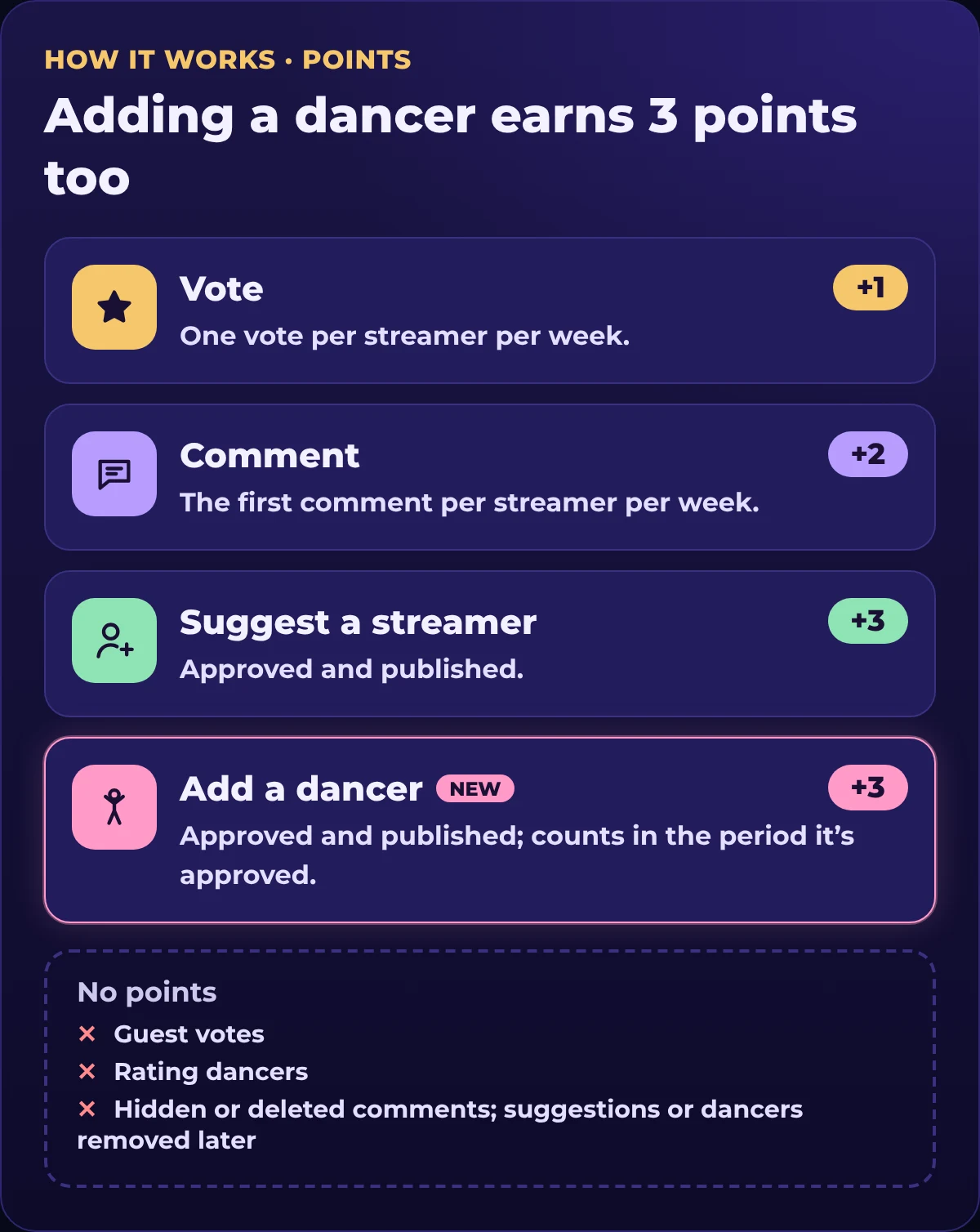
LIVE Dance Group windows in the streamer directory now have a Dancers section. Members can add a group’s dancers, and everyone can rate their favourite dancers each week. Each dancer you add earns you 3 points in the voting rewards once an admin approves it.
1. Where to find the dancers
Open any LIVE Dance Group in the streamer directory: the Dancers section is right under “Your vote this week”. Each dancer shows their TikTok photo, name, @account and rating. Tap a dancer to rate them and to see the group’s other dancers.
Only LIVE Dance Groups have dancers; Solo streamers don’t have this section. Dancers aren’t listed separately in the streamer directory.
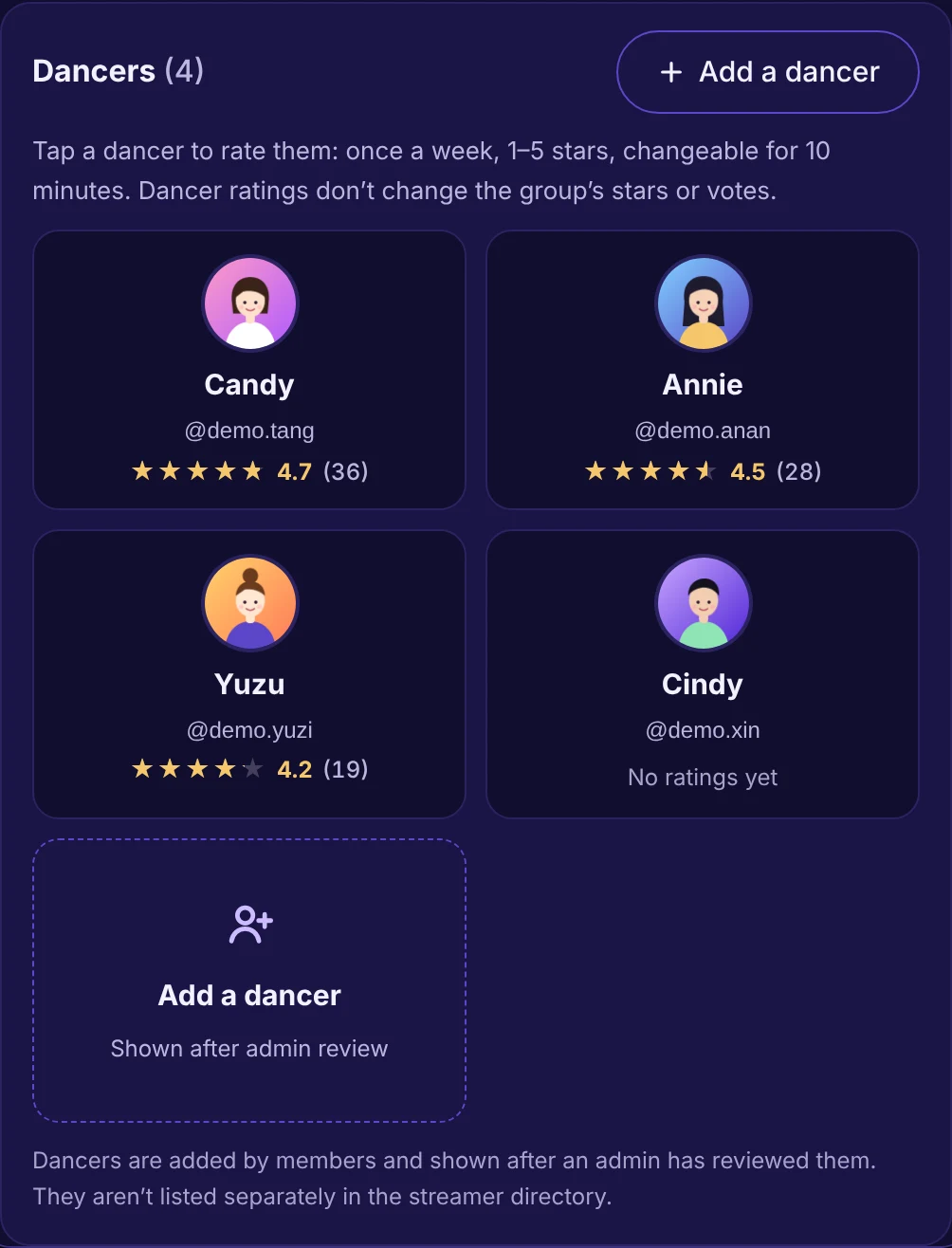
2. Adding a dancer: search TikTok first
Know a group’s dancers? Sign in and help fill them in.
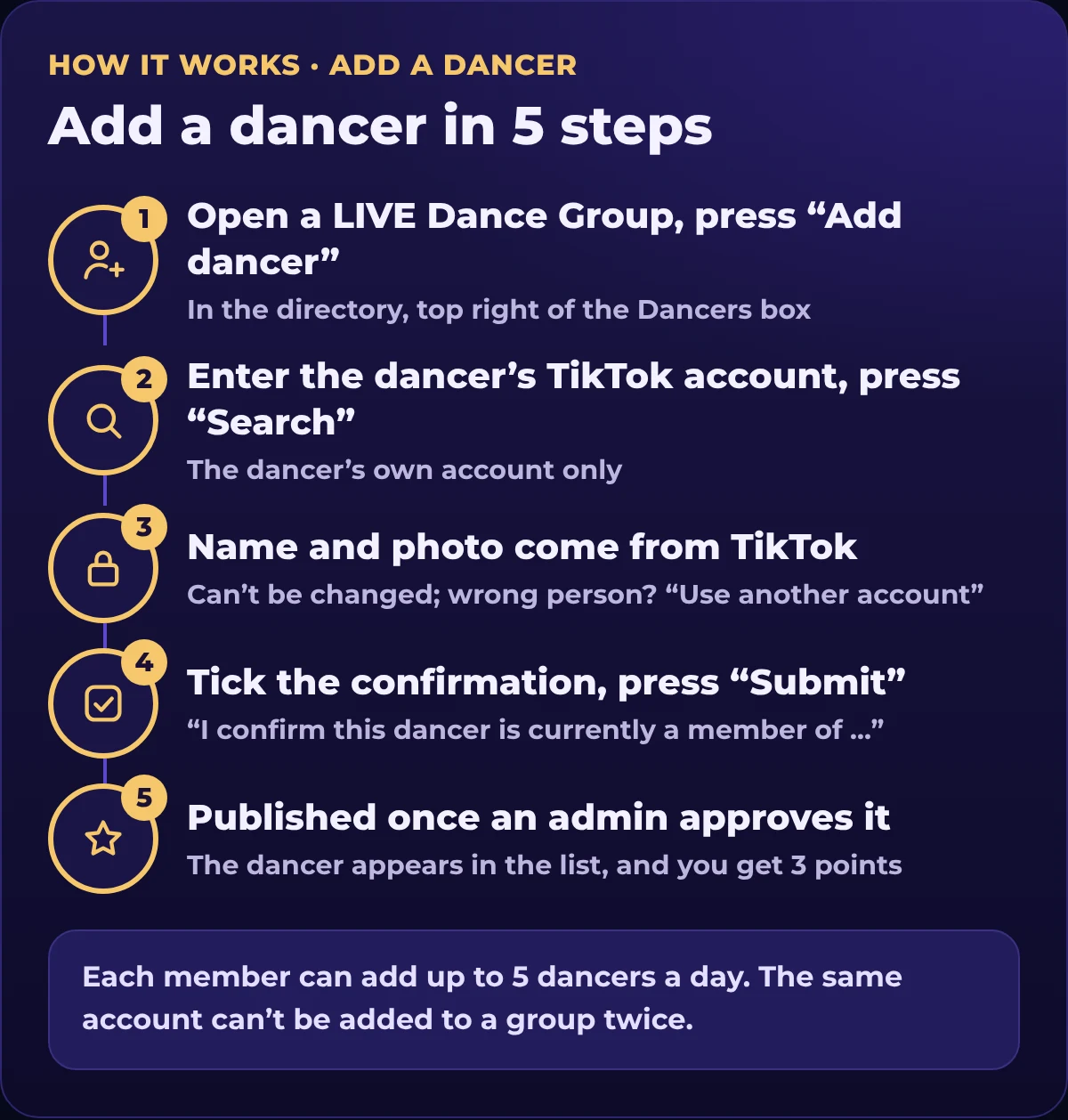
- Open a LIVE Dance Group in the directory and press “Add a dancer” in the Dancers section.
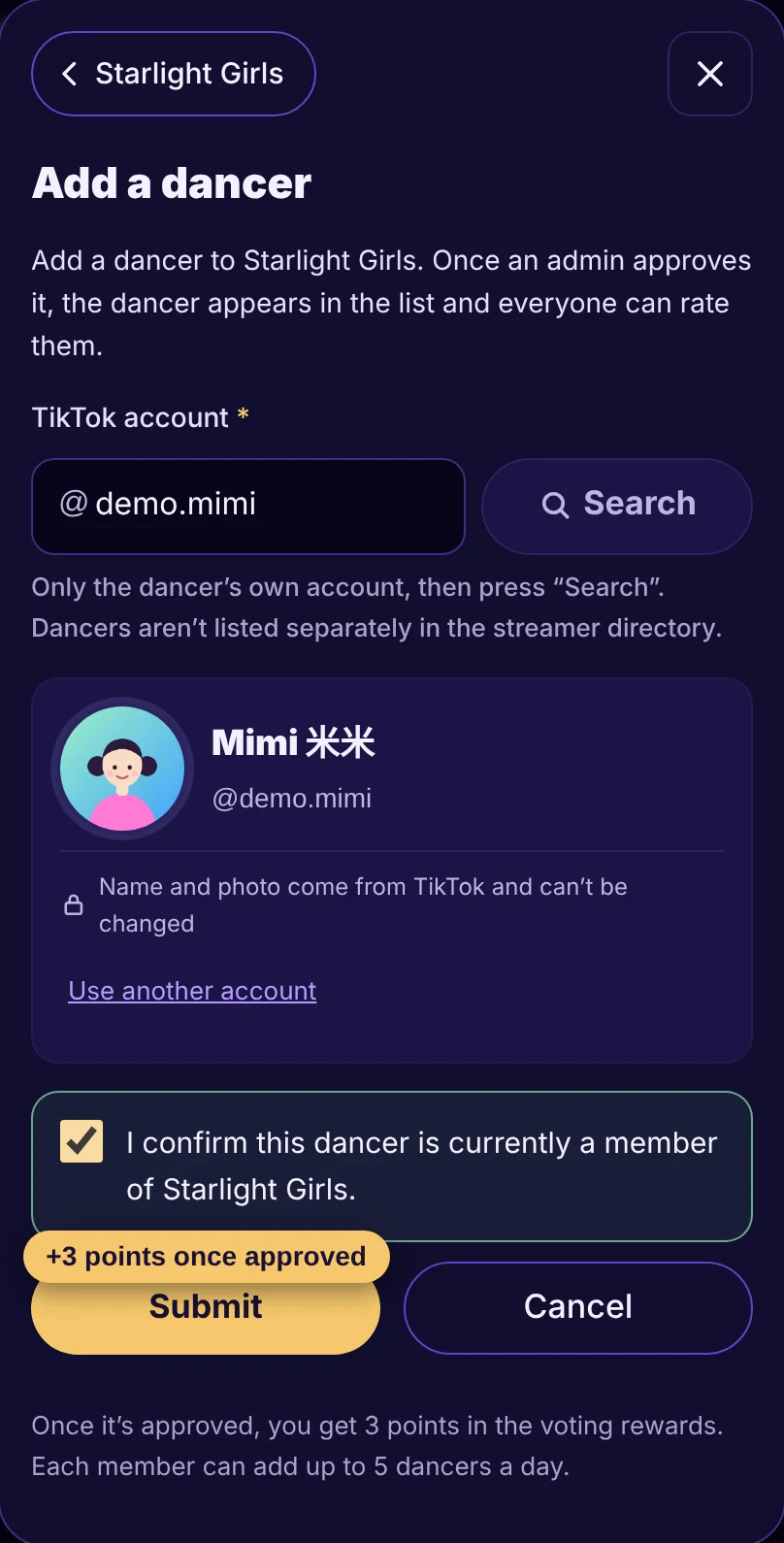
- Enter the dancer’s own TikTok account and press “Search”.
- The dancer’s name and photo come straight from TikTok and can’t be changed. Wrong person? Press “Use another account” and search again.
- Tick “I confirm this dancer is currently a member of …” and press “Submit”.
- Once an admin approves it, the dancer appears in the list and everyone can rate them.
Please note:
- The dancer must have their own TikTok account, and you need to press “Search” first. Until you do, the Submit button stays grey.
- The dancer’s name is their TikTok name (up to 30 characters). If they change their TikTok name or photo later, the site updates it automatically from time to time.
- Only add people who are currently members of that group.
- The same account can’t be added to a group twice. Each member can add up to 5 dancers a day and search up to 30 times an hour.
3. Rating dancers
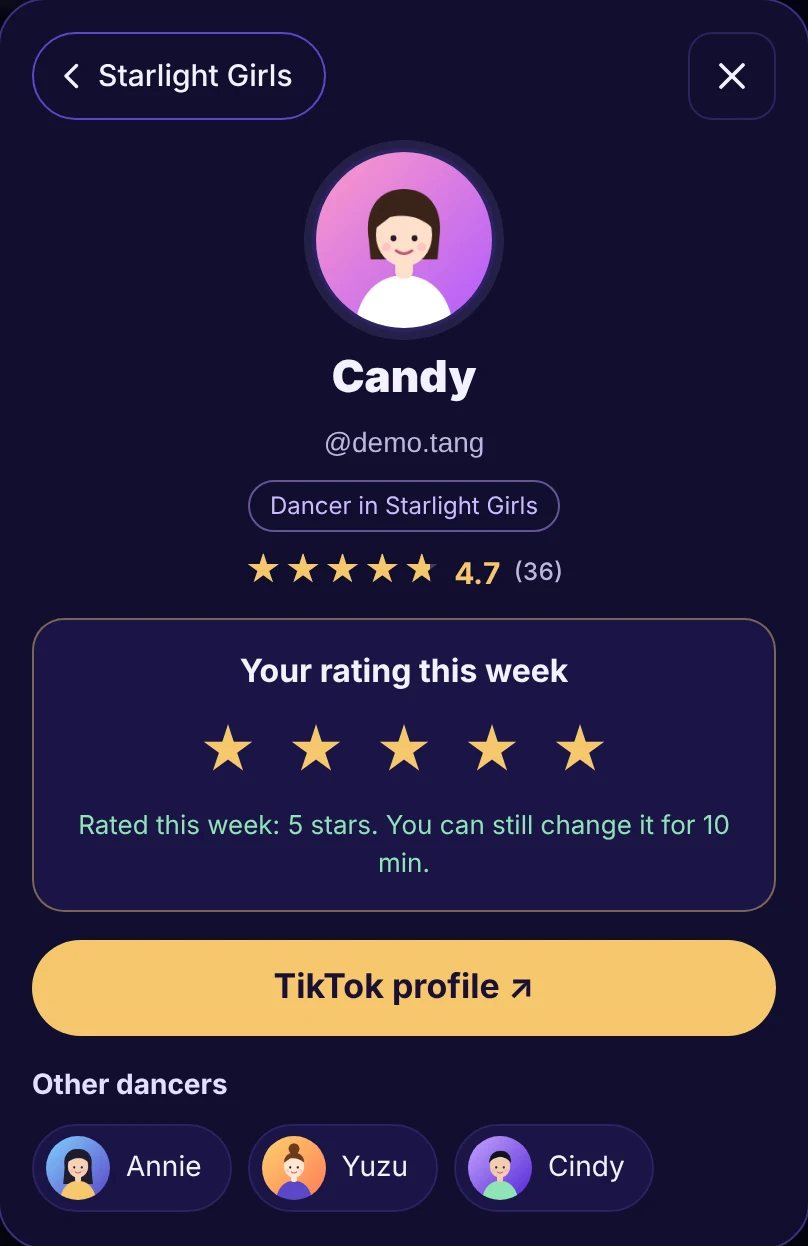
- You can rate each dancer once a week (1 to 5 stars). Ratings start over every Monday at 00:00 Taiwan time.
- You can change your rating for 10 minutes; after that it’s locked until Monday.
- No sign-in needed: guests can rate too, and a guest rating counts as ⅓ of a vote. It goes through a security check, and VPNs and data-centre networks aren’t accepted.
- Dancer ratings don’t change the group’s own stars or vote count.
4. Voting rewards: 3 points for each dancer you add
Each dancer you add earns you 3 points once an admin approves and publishes it. Like streamer suggestions, it counts in the period it’s approved. Dancers hidden later don’t count.
Rating dancers doesn’t earn voting-reward points for now; vote points still come only from votes for streamers.
5. Suggesting a streamer now starts with a search too
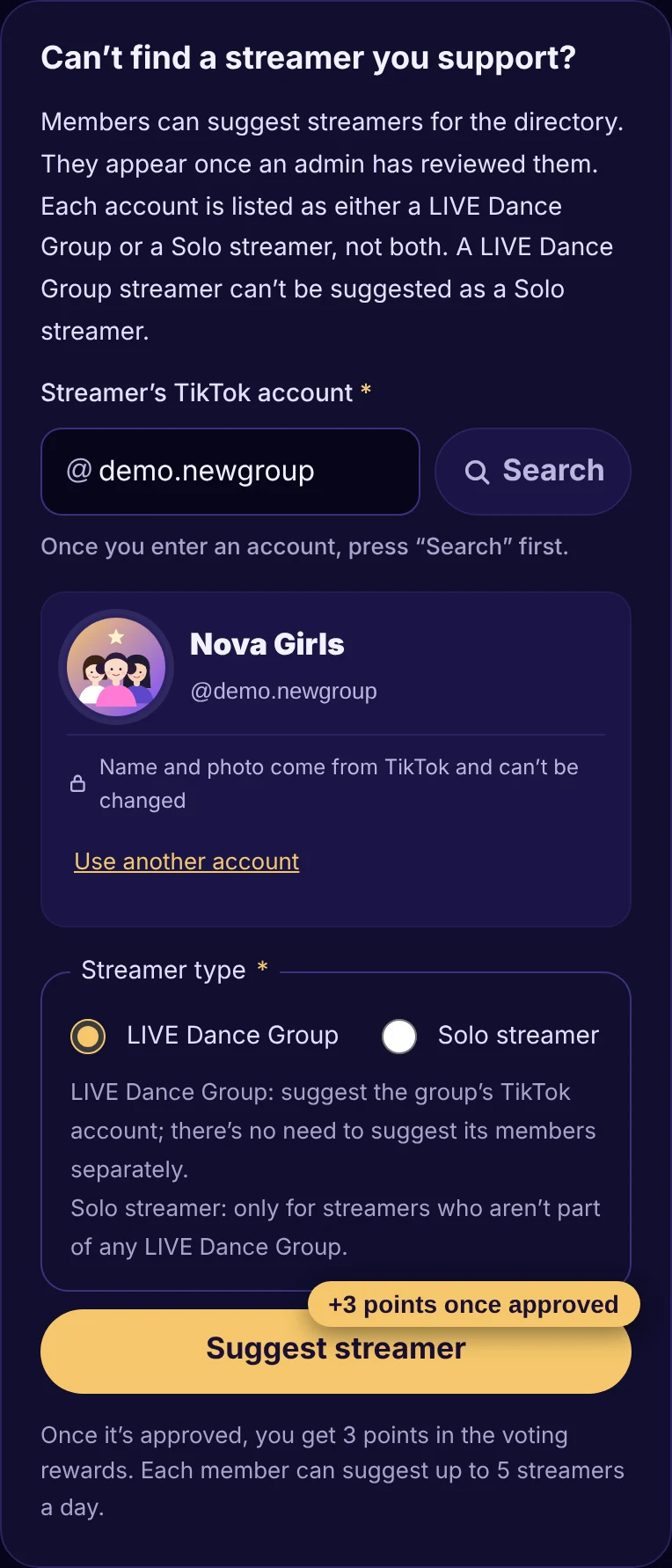
To suggest a streamer for the directory, you now also enter their TikTok account and press “Search”. The name and photo come from TikTok and can’t be changed. If the streamer is already in the directory, you’ll see “Open the streamer’s page to vote” instead. Streamer cards and QR vote images now show the streamer’s TikTok photo too.
Questions? Use “Messages” on your account page, or write to help@milkyverse.org.
The groups, dancers and accounts in the pictures are examples.
MILKYVERSE Alliance | Site update