
The MILKYVERSE website has had a series of upgrades, with new features for voting, comments and member services. Here’s everything in one place, with screenshots to help you get started.
1. Weekly votes: one vote per streamer, every week
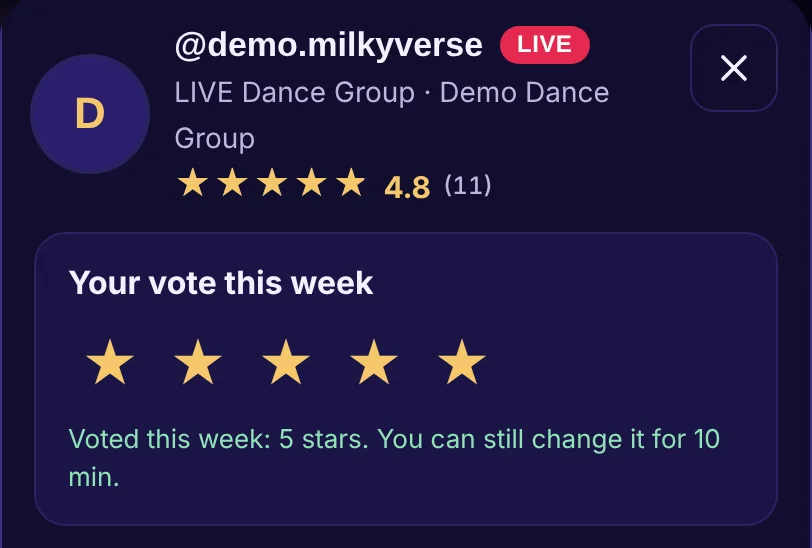
Every Monday, members get a new vote for each streamer: 1 to 5 stars, and votes add up over time. You can change your vote for 10 minutes after voting; then it’s locked until next Monday. In the streamer directory, tap a streamer’s Vote button to open their window and vote.
2. Guest voting (counts as ⅓ of a vote)
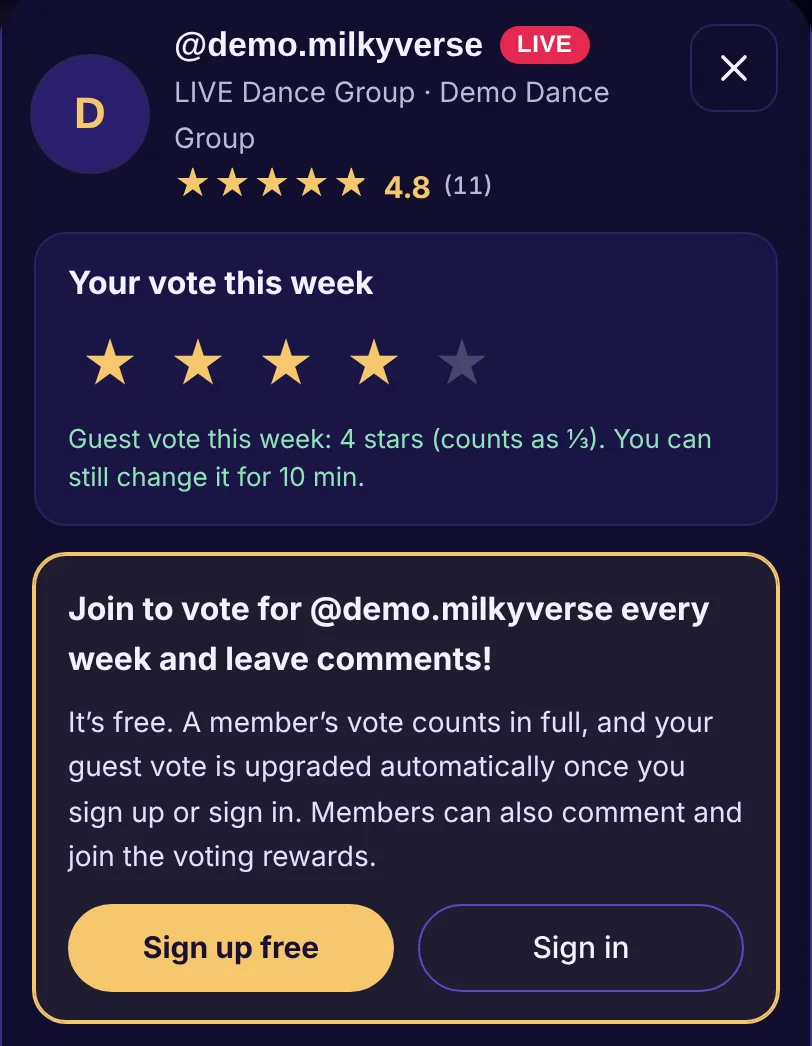
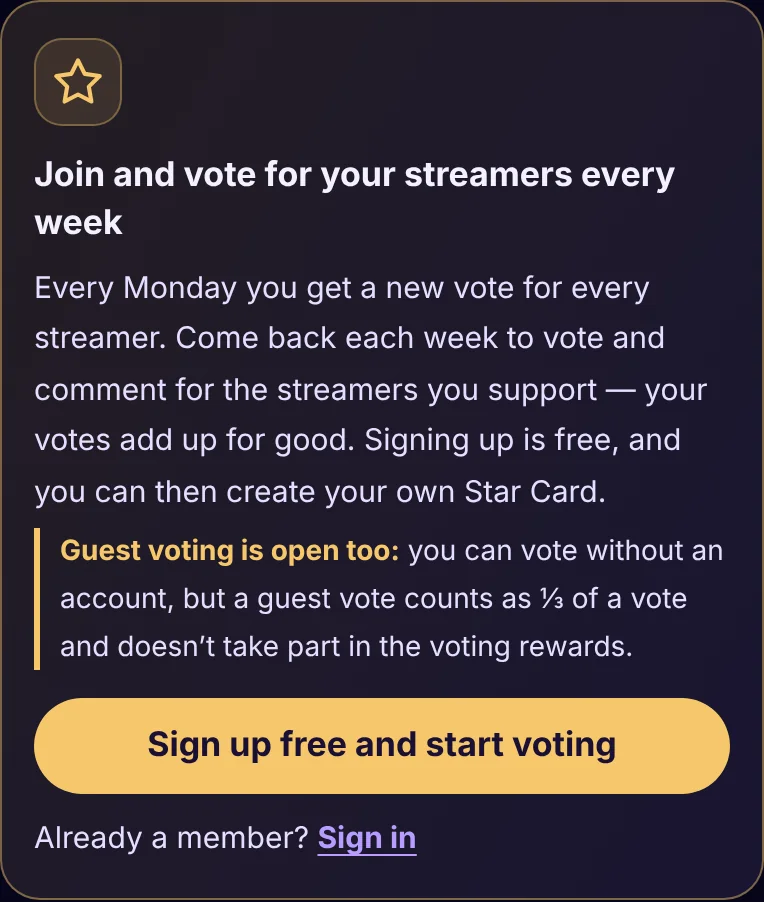
You can vote without an account: open a streamer’s window and tap the stars to cast a guest vote. A guest vote counts as ⅓ of a vote. As with member votes, you get one per streamer every Monday and can change it for 10 minutes.
To keep things fair, guest votes go through a Cloudflare security check. If a check box appears, tick it and your vote is sent automatically. Guest votes aren’t accepted from VPNs or server networks, and they don’t take part in the voting rewards.
Want your vote to count in full? Sign up free or sign in, and the stars you picked are sent as a member vote. You can also comment and take part in the voting rewards.
3. Voting rewards: the top 10 win gifts for their streamers
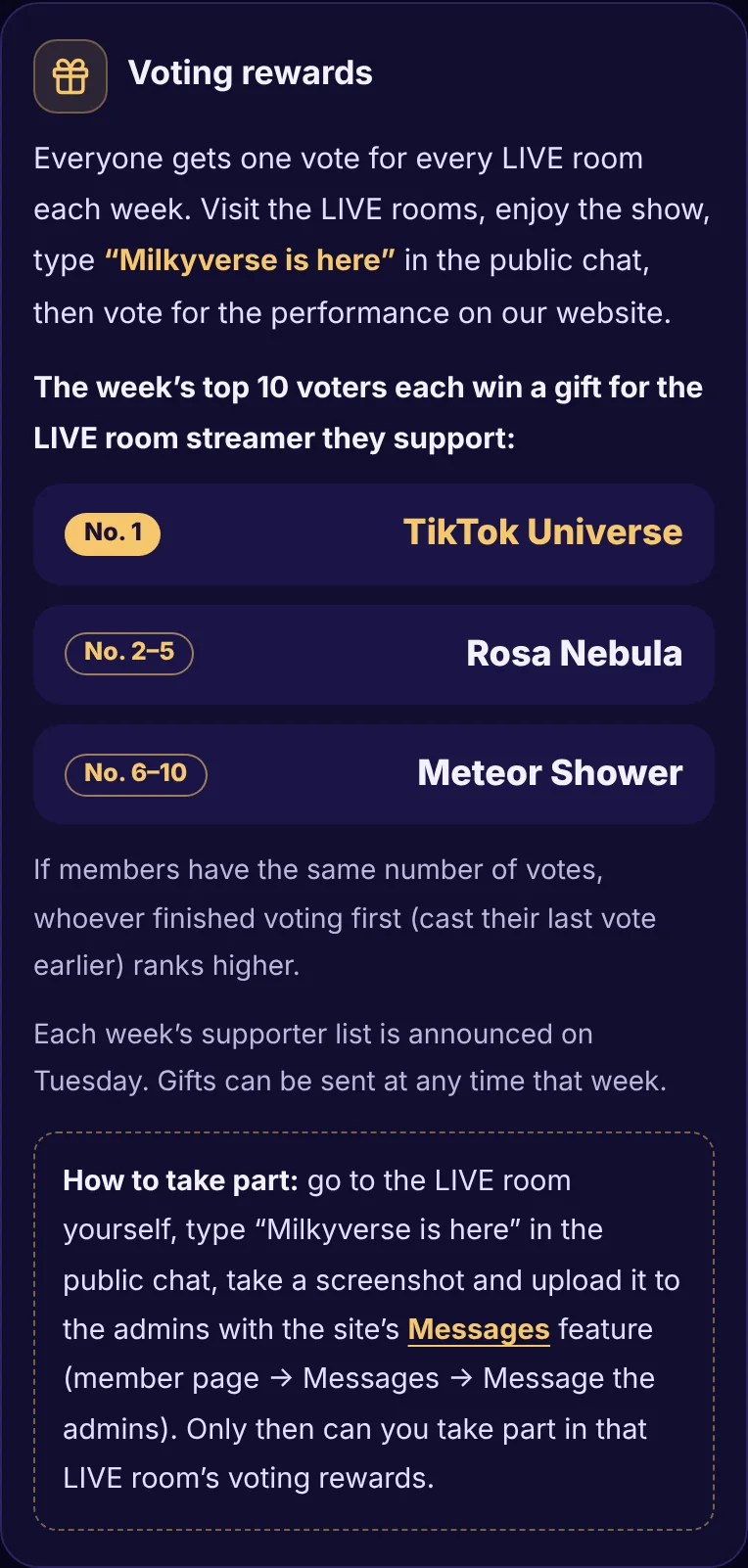
Each week’s top 10 voters win a gift for the LIVE room streamer they support: No. 1 TikTok Universe, No. 2–5 Rosa Nebula, No. 6–10 Meteor Shower. If members have the same number of votes, whoever cast their last vote earlier ranks higher. The supporter list is announced every Tuesday.
How to take part: go to the LIVE room yourself, type “Milkyverse is here” in the public chat, take a screenshot and upload it to the admins with the site’s Messages feature.
4. Site messages: contact the admins directly
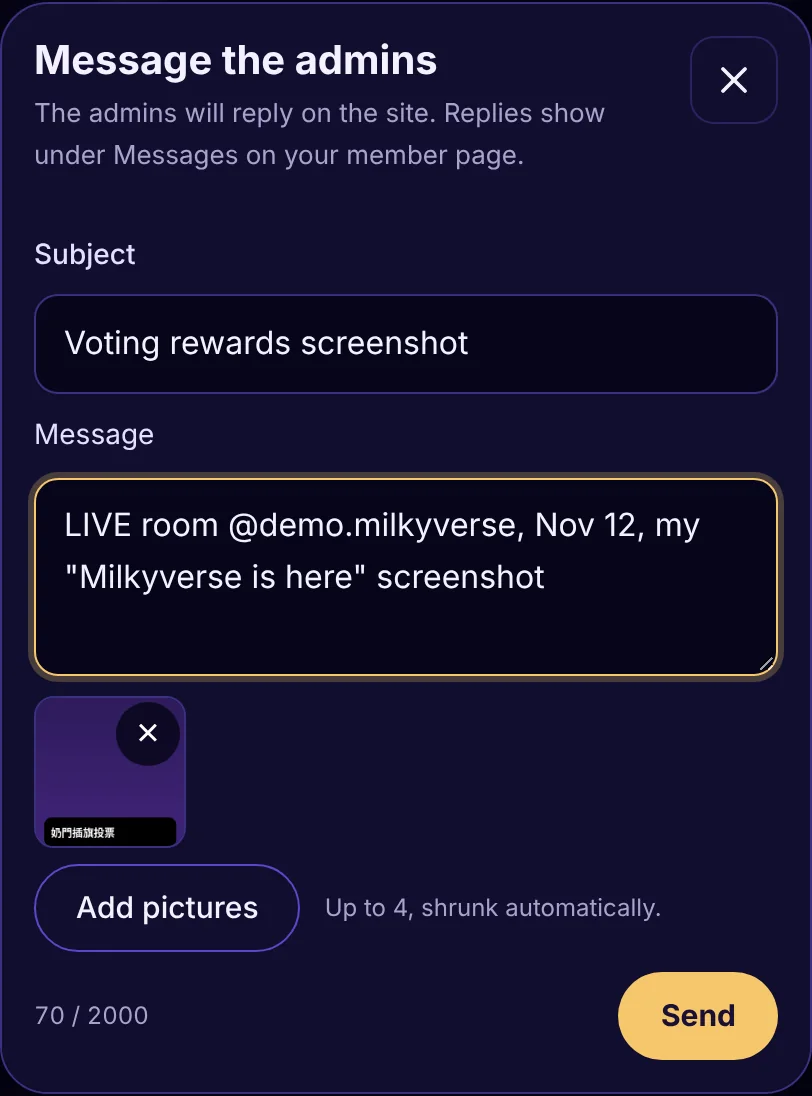
Your member page now has Messages. Notices from the MILKYVERSE team appear here, and you can tap Message the admins to contact us yourself. Each message can include up to 4 pictures (kept for 30 days), and the admins reply on the site. Please use this to send your voting rewards screenshots.
5. Comment your way: anonymous comments and quick comments
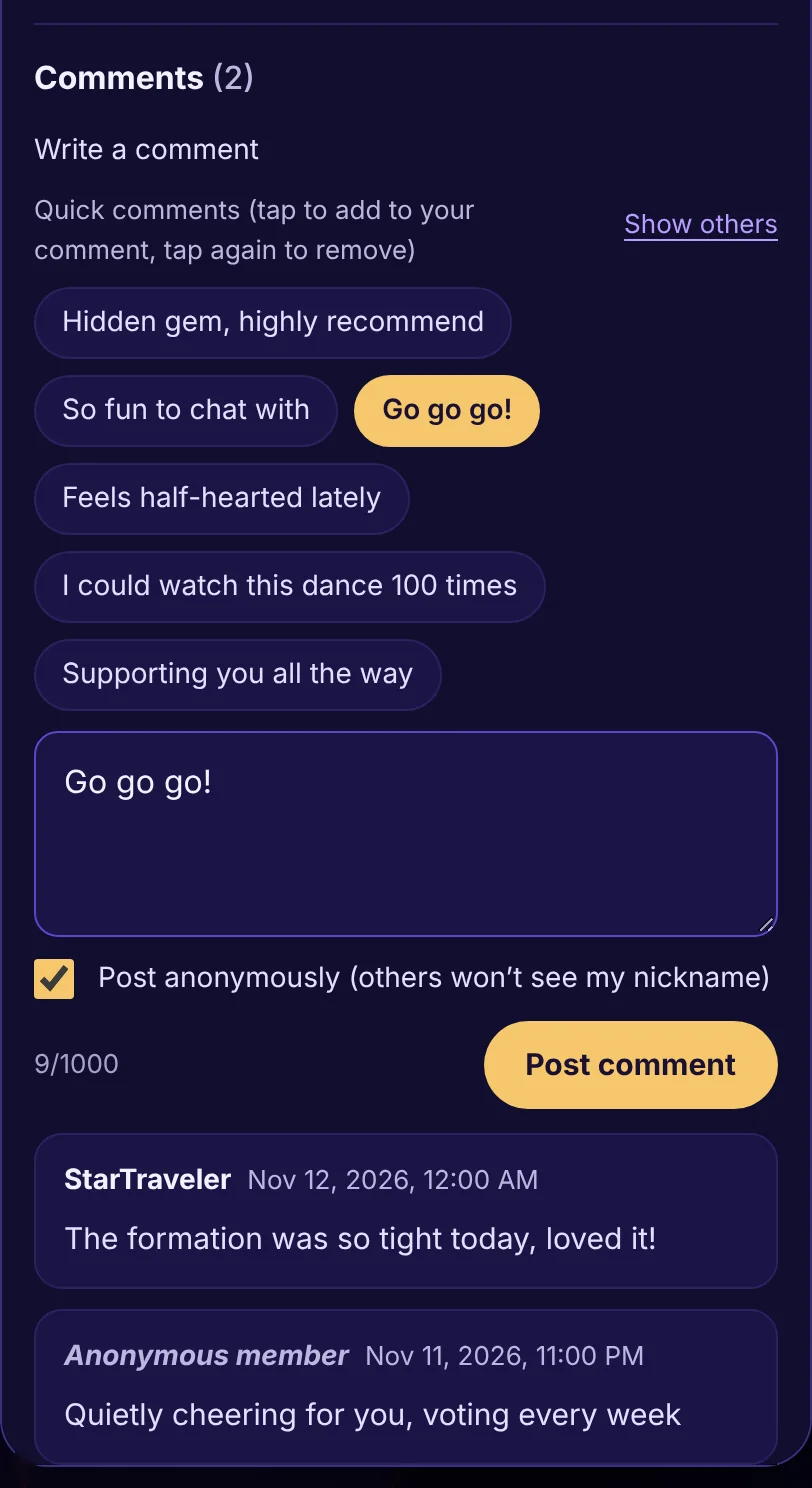
Anonymous comments: tick Post anonymously before you send, and other visitors and members will only see “Anonymous member”. Site staff can still see who wrote it so they can moderate comments, and anonymous comments must follow the member rules and the Terms of Service too.
Quick comments: above the comment box are ready-made phrases. Tap one to add it to your comment, tap again to remove it, and add your own words if you like. Nothing is sent until you tap Post comment; tap Show others for more phrases.
6. Faster sign-up, and your Star Card any time
Signing up takes just a nickname, email and password. Then create your Star Card (TikTok account and family) on your member page in a few seconds. The Star Card is a free display badge with no cash value.
7. New home page and streamer directory layout
The weekly vote invitation now sits at the very top of the home page, with the guest voting note for visitors. Featured streamers are in two rows, LIVE Dance Groups and Solo streamers, highest-rated first. In the streamer directory you can show only LIVE Dance Groups or only Solo streamers; it shows 20 at a time, and Show more streamers loads more.
8. Privacy Policy and Terms of Service
The website now has a Privacy Policy and Terms of Service explaining how we store and use data, and the rules for guest votes and anonymous comments.
Thank you to every player who supports MILKYVERSE! If you have any questions, use Messages on your member page or email help@milkyverse.org.
*Screens shown are examples, using a demo streamer and demo members.
MILKYVERSE | MILKYVERSE Alliance | Site update