Updated 11/26: voting rewards now run as a daily task with a lucky wheel, and the top-10 gifts have ended: see Voting rewards, new version. The old rules below are kept for the record.
Updated 11/25: from period 2 on, voting rewards run one period per month. Period 2 runs November 23 to December 31, and its list comes out on January 5, 2027; after that, each period runs from the 1st to the last day of a month, and the list comes out on the 5th of the next month. Voting still resets every week, and points work the same way. The text below is updated.
Updated 11/17: points are now 1 per vote, 2 per comment and 3 per approved suggestion. All points in this period (11/9–11/22) count the new way, and the text and pictures below are updated.
Updated 11/18: each dancer you add also earns 3 points once approved: see Dancers are here. Suggesting a streamer now starts with a TikTok search, and the text and pictures below are updated.
Updated 11/24: the winners of the first period (Nov 9–22) are out: see First voting rewards period: the winners.
Dear members,
To give everyone more time to support streamers in their LIVE rooms, voting rewards now run in two-week periods starting with this one, and there are two new ways to earn points: comments and streamer suggestions.
1. Two-week periods
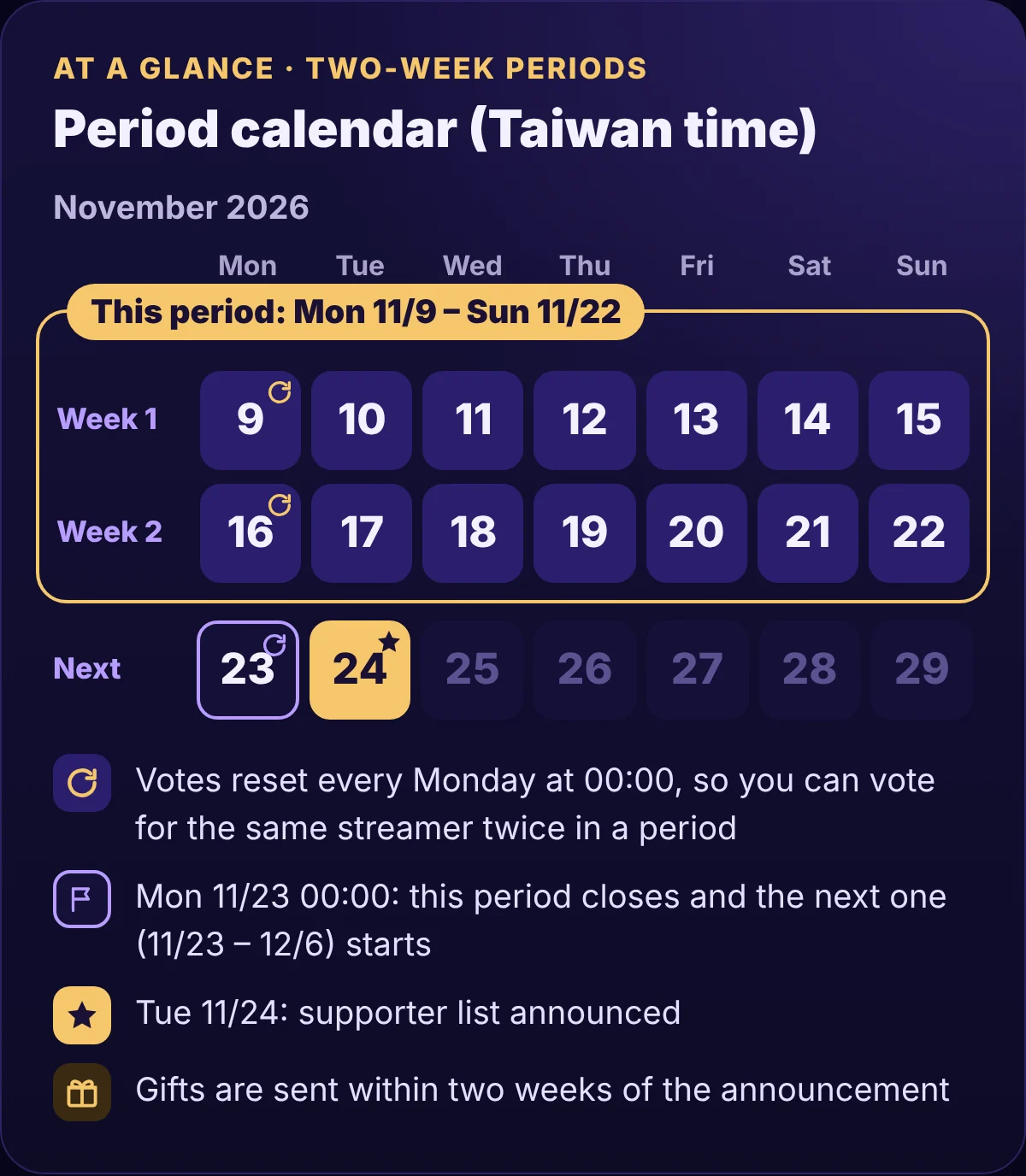
Each period runs from Monday 00:00 to the second Sunday 23:59 (Taiwan time).
This period: Monday, November 9 to Sunday, November 22, 2026, closing at 00:00 on November 23.
The single-week list that was due on Tuesday, November 17 is folded into this period and will be announced on Tuesday, November 24.
Period 2: Monday, November 23 to Thursday, December 31, announced on Tuesday, January 5, 2027. After that, each period is one month (the 1st at 00:00 to the last day at 23:59, Taiwan time), and the list comes out on the 5th of the next month.
2. Voting still resets every week
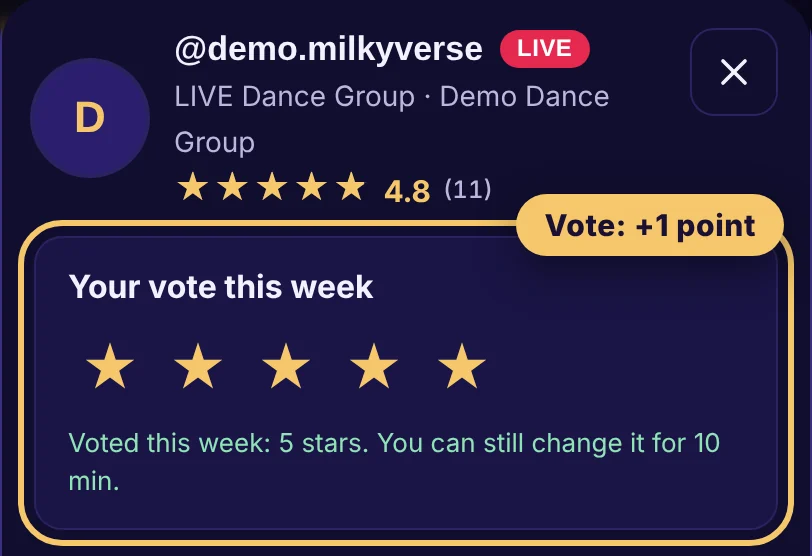
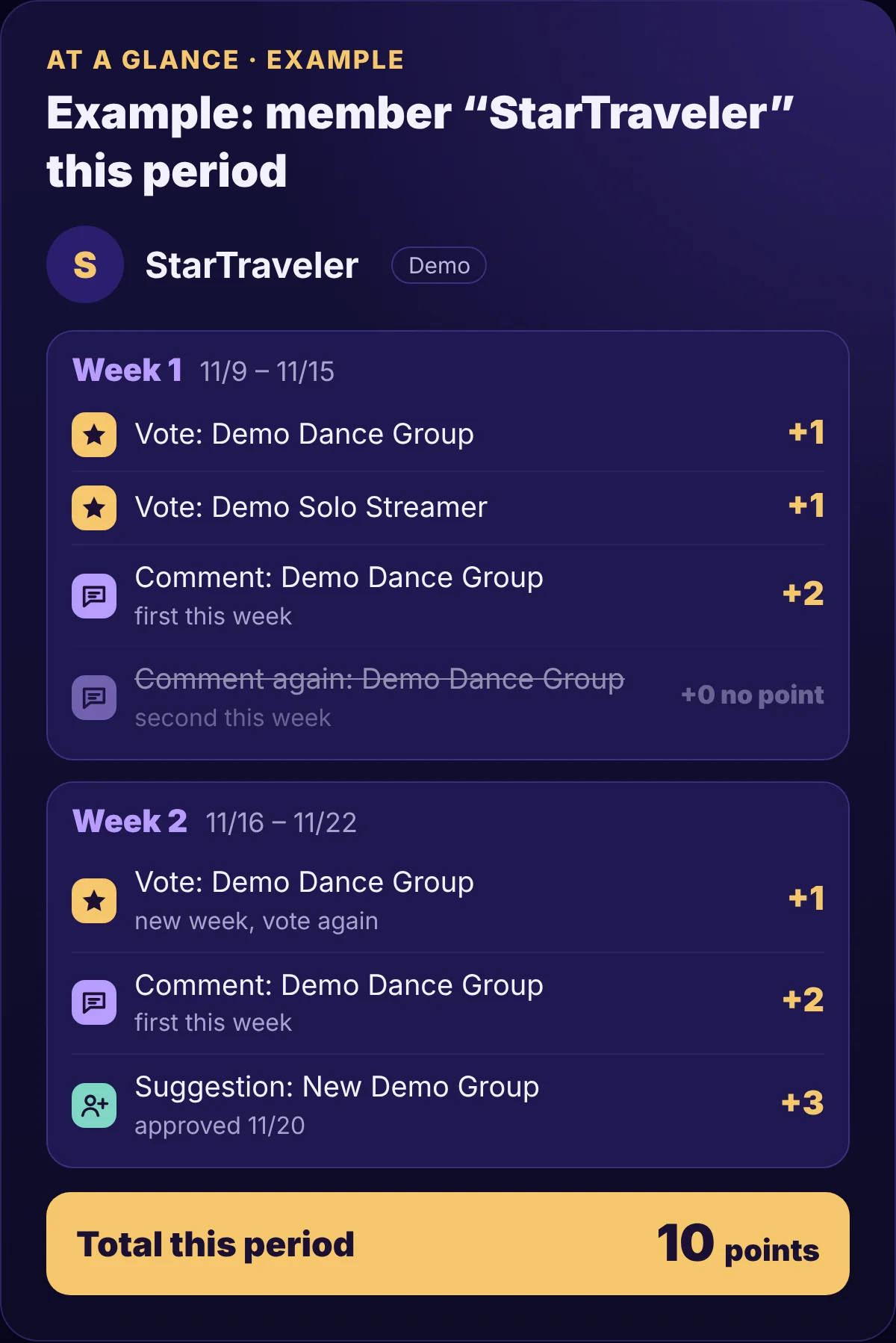
Votes reset every Monday at 00:00: one vote per streamer each week, so you can vote for the same streamer again every week of a period.
3. How points work
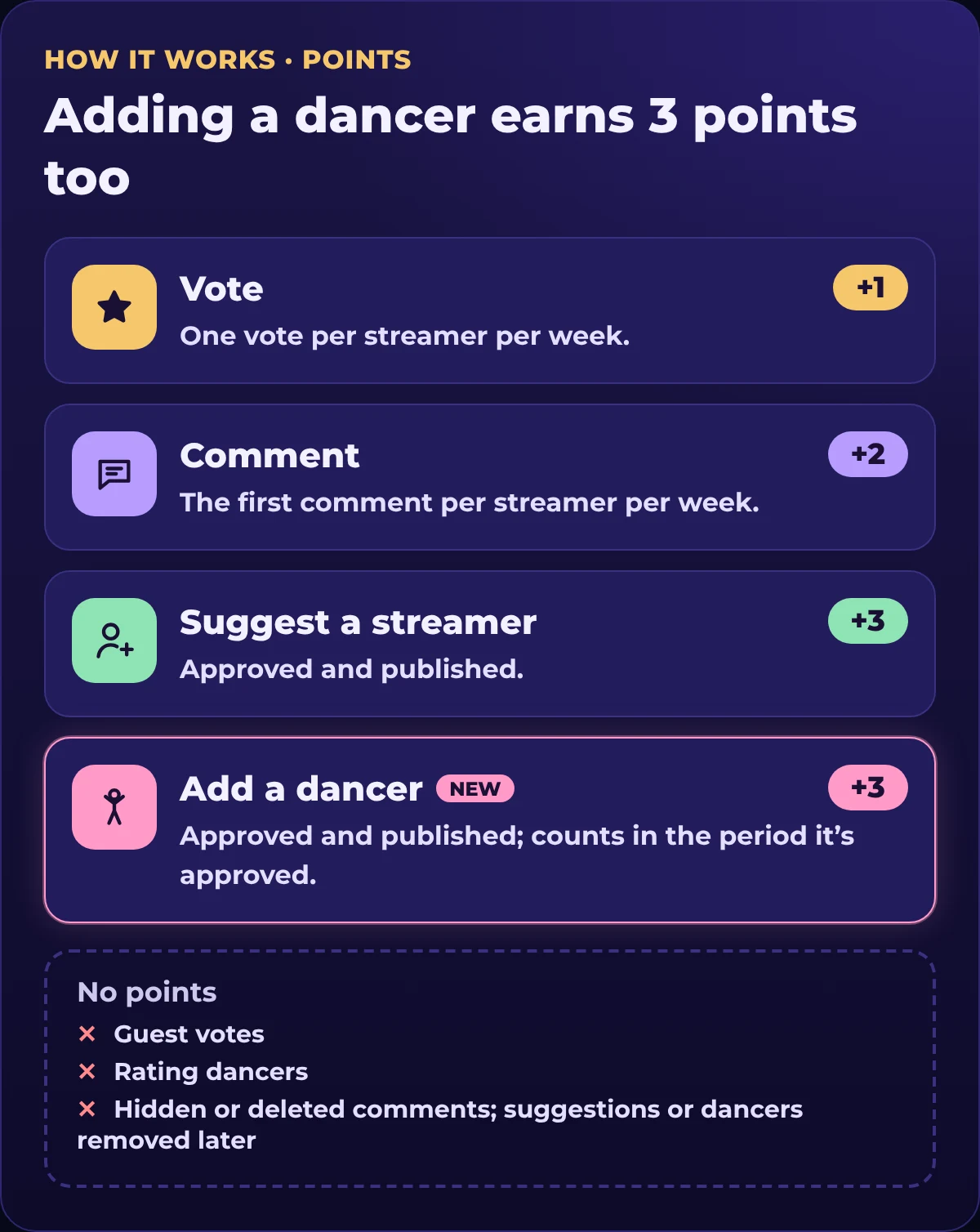
Votes: 1 point each.
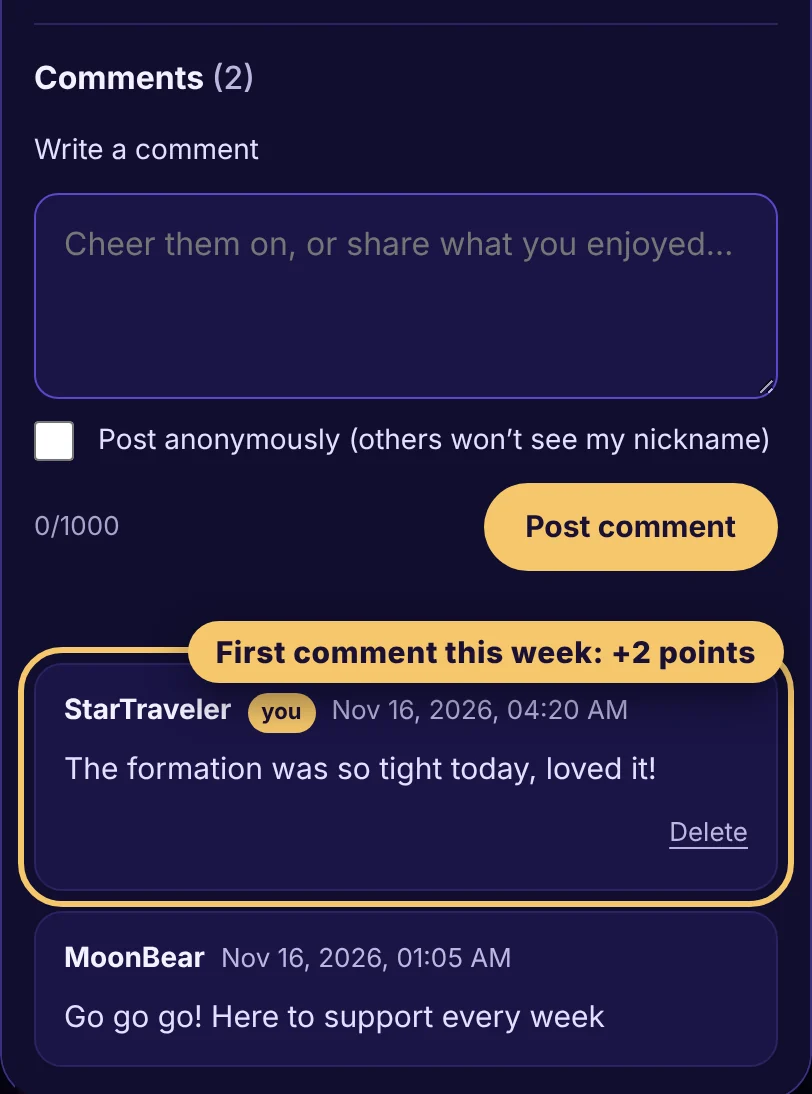
Comments: your first comment on each streamer each week earns 2 points. More comments on the same streamer that week don’t add points, and hidden or deleted comments don’t count. Comments already posted in this period count too.
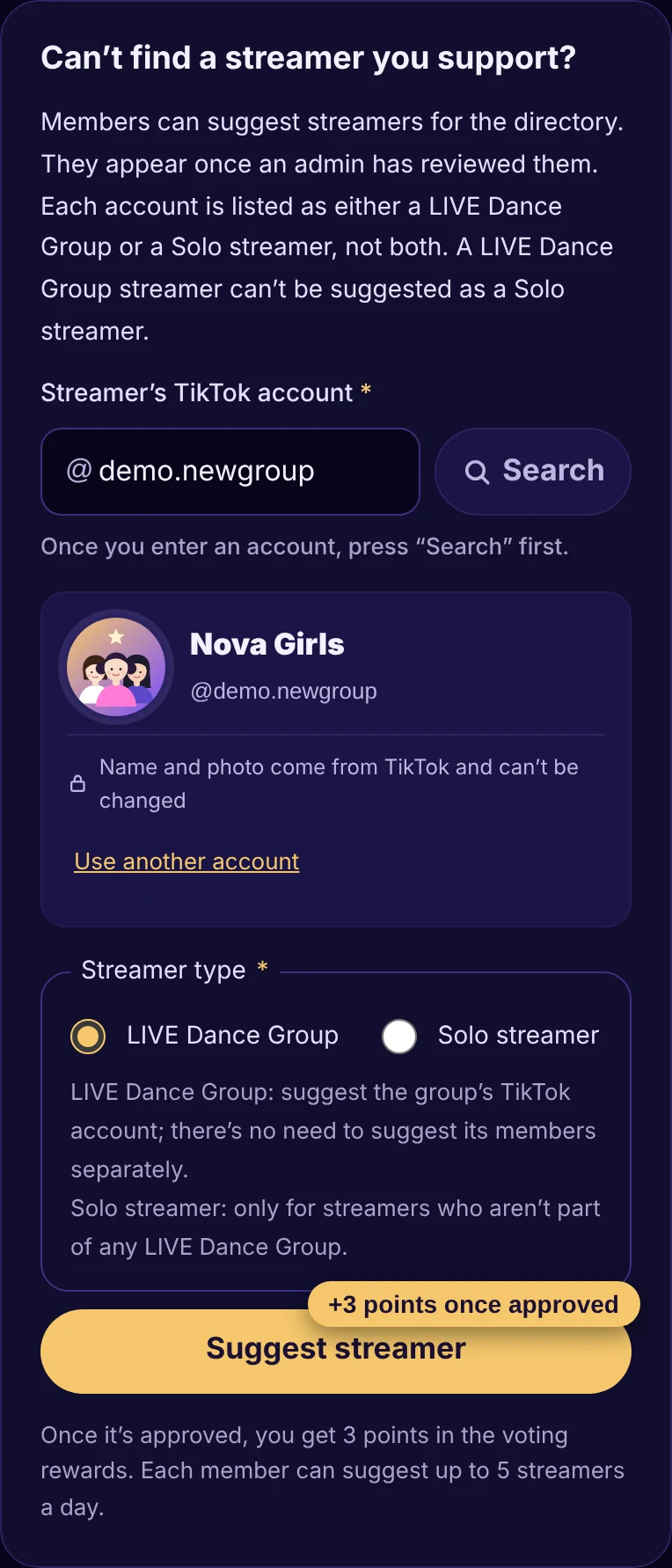
Suggestions: use “Suggest streamer” in the streamer directory to suggest a streamer or LIVE Dance Group that isn’t listed yet. Once an admin approves it and it’s listed, you get 3 points, counted in the period it’s approved. For a LIVE Dance Group, suggest the group’s account. You enter the TikTok account and press “Search” first; the name and photo come from TikTok. Suggestions that are later taken down don’t count.
Dancers: press “Add a dancer” in a LIVE Dance Group’s Dancers section to add one of its members. Once an admin approves and publishes the dancer, you get 3 points, counted in the period it’s approved. Dancers hidden later don’t count. See Dancers are here.
Guest votes don’t earn points. These points are only for the voting rewards ranking; streamers’ star ratings and vote totals still come from votes alone. Admin and Supervisor accounts aren’t ranked.
4. Ranks and rewards
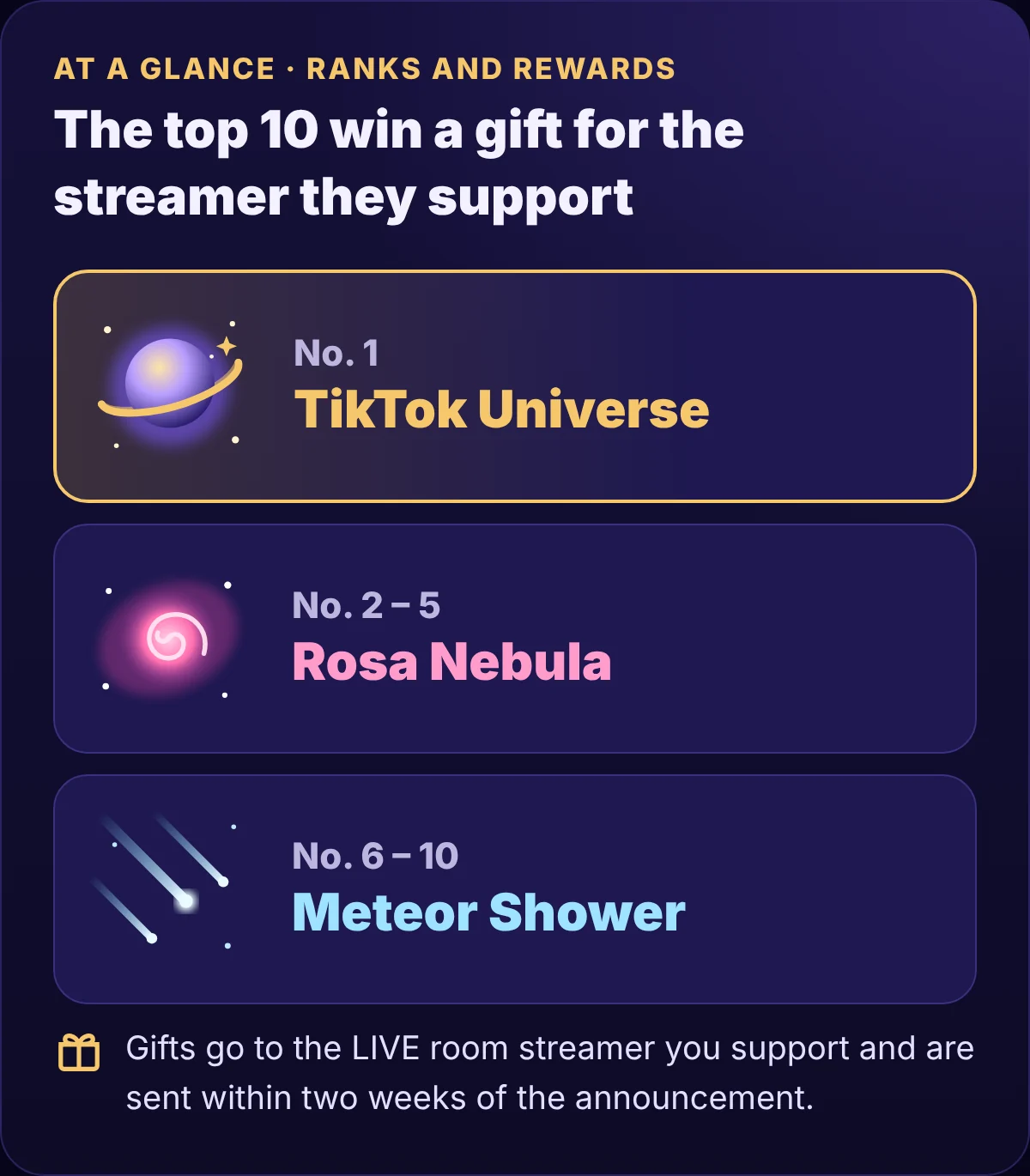
Finish in the top 10 to win a gift for the streamer you support: No. 1 TikTok Universe, No. 2–5 Rosa Nebula, No. 6–10 Meteor Shower.
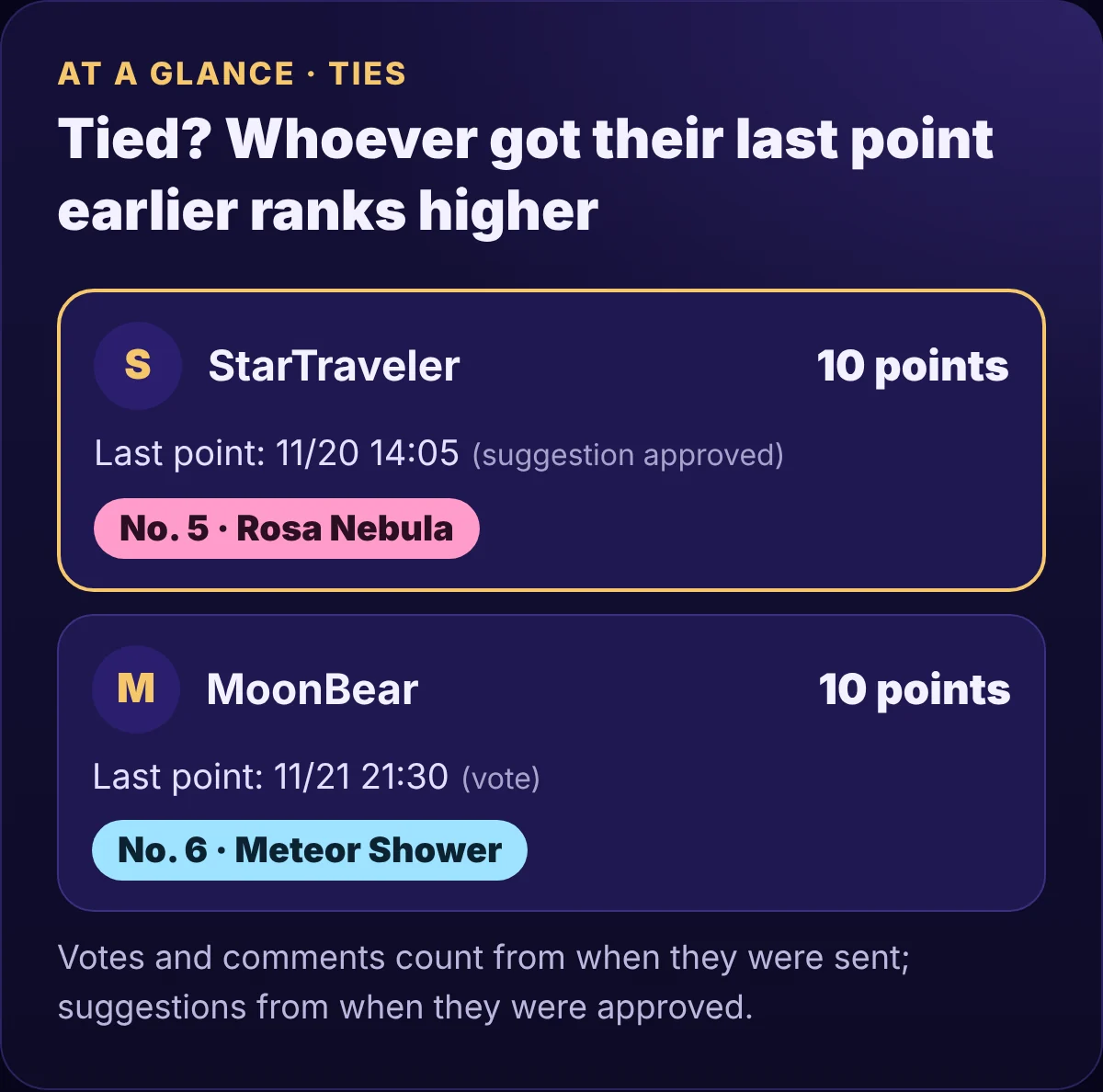
If members have the same points, whoever got their last point earlier ranks higher (votes and comments by the time they were sent, suggestions by the time they were approved).
From period 2 on, the supporter list is announced on the 5th of the month after each period ends, and gifts can be sent at any time within two weeks of the announcement.
5. How to take part (unchanged)
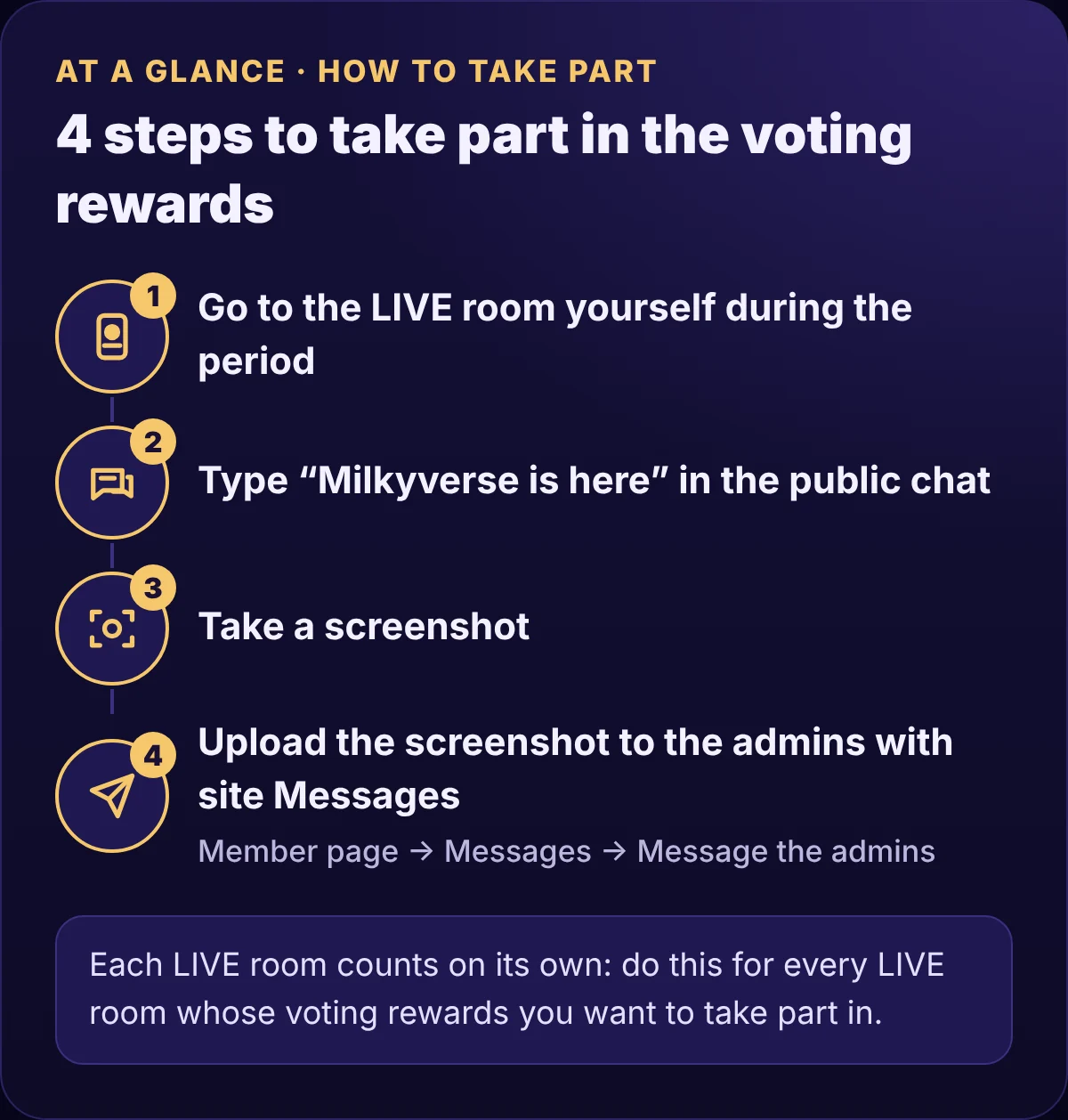
During the period, go to the LIVE room yourself, type “Milkyverse is here” in the public chat, take a screenshot and upload it to the admins with the site’s Messages feature.
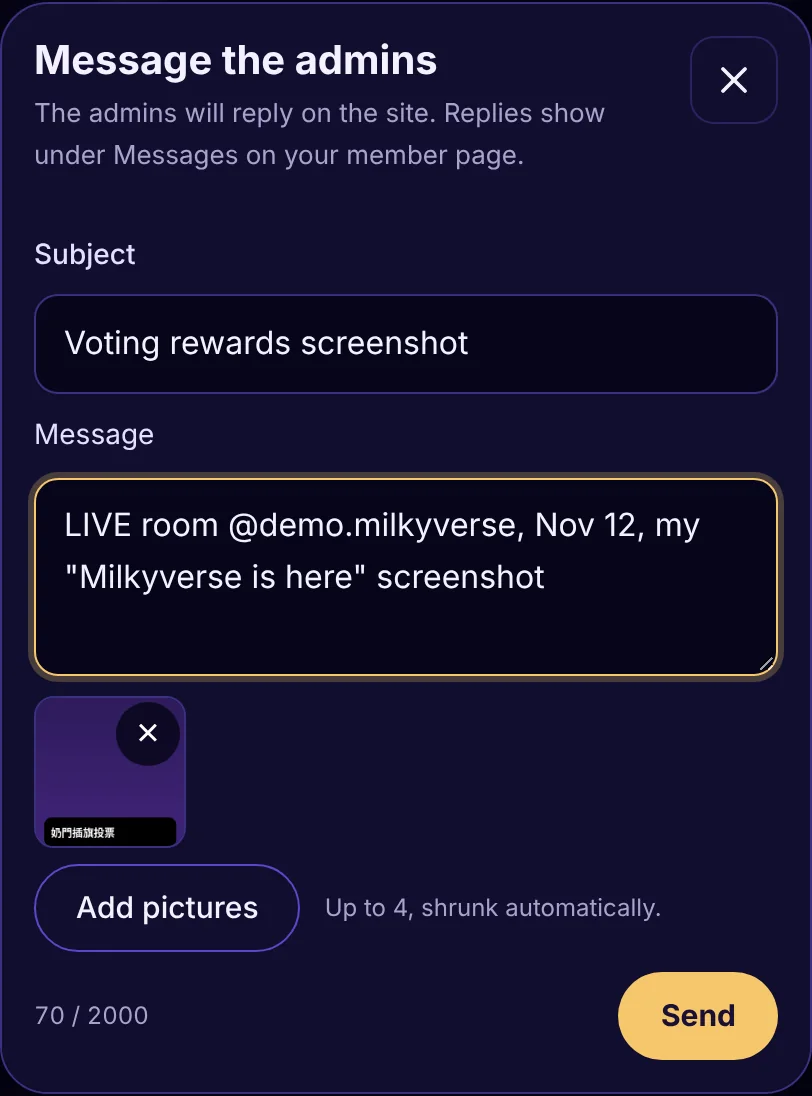
If you have any questions, use Messages on your account page or email help@milkyverse.org.
The members, streamers and comments in the pictures are examples.
MILKYVERSE Alliance | Alliance notice